Decks used to get their card back after the fact: create the deck, open details, find the Default Card Back setting, then pick something. Deck Builder 3.11.0 moves that decision to where it belongs: the creation form itself has a labeled Card Back row with a live preview of what your deck will look like flipped over.
The Card Back row
Tap Create new deck on the deck overview. Between Name and Game sits the new row: a preview thumbnail on the left, the label Card Back with its current source underneath (it starts on Automatic), and a Choose button on the right.
What Automatic means
Leave the row as it is and your new deck gets a preset card back assigned automatically, cycling through the built-in designs so no two fresh decks look identical. You can always change it later in the deck’s Details tab; Automatic just guarantees a decent starting point.
Choosing your own
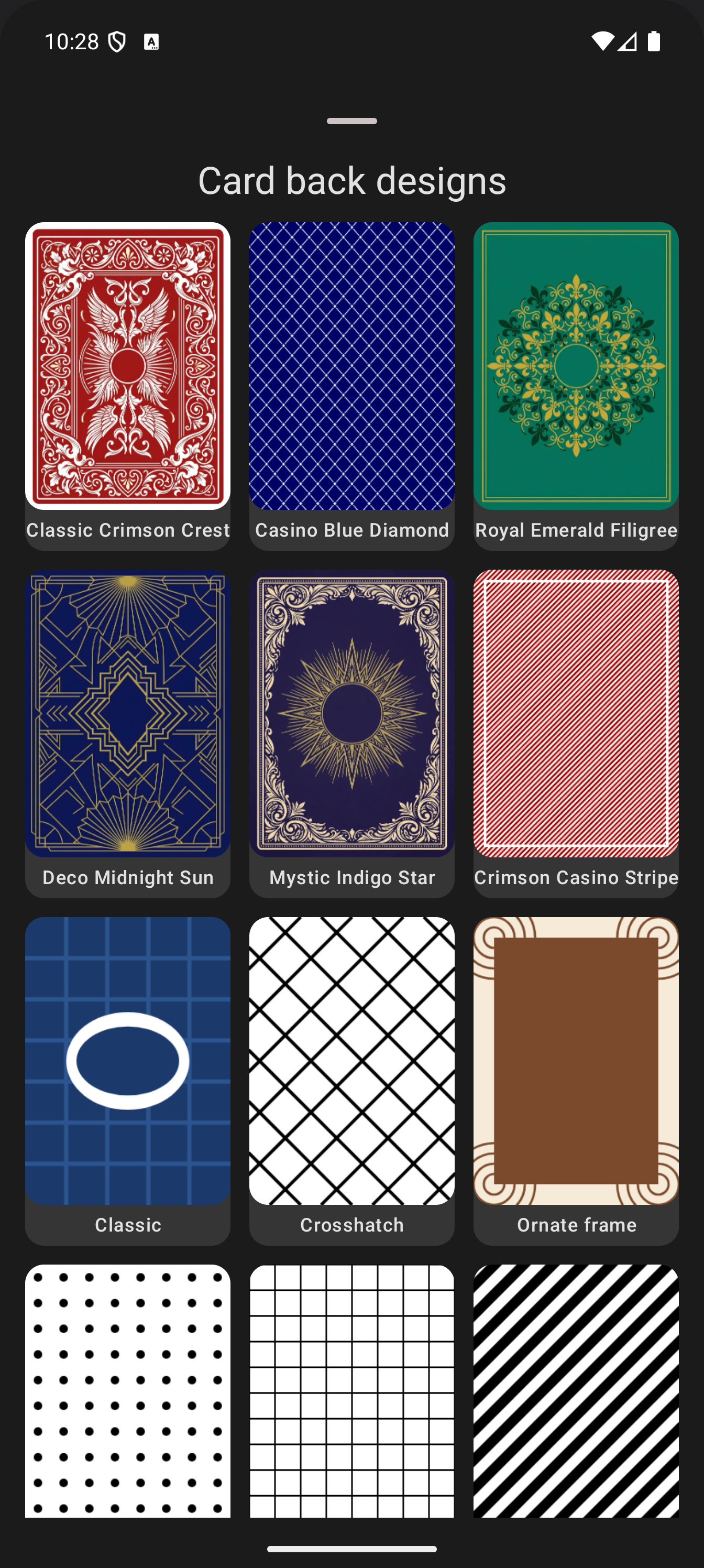
Tap Choose and the picker sheet opens with every source in one place:
- Choose a design: the gallery of built-in card back designs, from the heraldic Crimson Crest presets to the AI-painted backdrops, each with a card-shaped preview.
- Select from Gallery or Files: use any image you already have.
- Scan Image: capture a physical card back with the camera and use it as-is.
Pick one and the thumbnail in the Card Back row updates immediately, so you see the back your deck will ship with before you even finish the form. Then just add the name, and create: the deck starts life looking the way you want it, and the back carries through to the draw screen, the card grid, and every export.
The same picker sources power the per-deck Default Card Back setting in Details, so anything you pick here can be swapped later without re-doing the deck.
Deck Builder is free on Google Play, and decks work in the web app too. Share your creations on the Discord or support development on Patreon.
